
|
|
General HydroStatics
Ship Stability Software |
|
Command of the Week
(New or interesting aspects of GHS that you may not know about) |
|
DB EditLSWt and EditFixWt
(Requires GHS version 17.00 or later) |
|
(Use the command DB Update to get the latest version
of the Data Base software.)
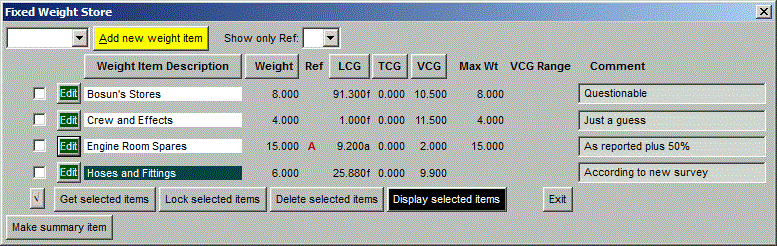
DB EditLSWt and DB EditFixWt are Dialog commands. The EditFixWt dialog looks like this: |
|
Some things to note:
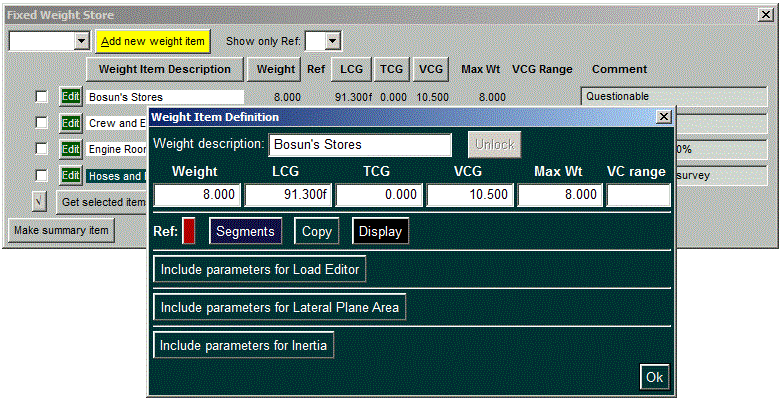
Clicking the Edit button brings up the template where all of the parameters can be viewed and adjusted and added to: |
|
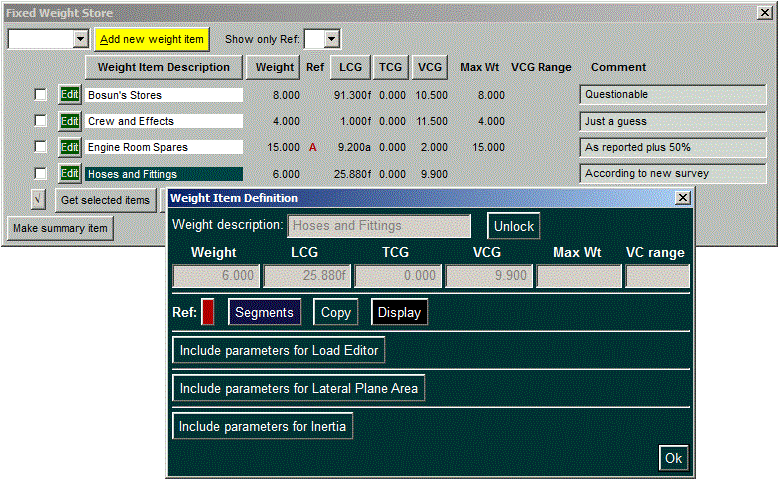
| Locked weight items are clearly marked by the description's dark background, and in the Edit dialog everything in a locked item is protected from being changed. The Unlock button overrides this. |
|
|
Selections are made by the check boxes on the left. This determines
which items are included in the Get, Lock, Delete, and Display
operations. The button at the bottom of the check-box column turns
them all on or off.
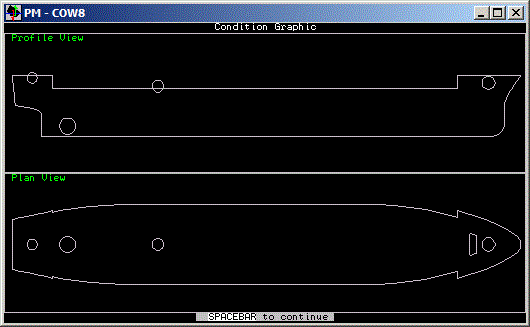
The Get selected items button is so named because it performs the same function that the DB GetFixWt command does. In other words, the checked items are copied from the Data Base to the working GHS environment, which can be verified by the STATUS WEIGHT command. The Display selected items gives a visual check of locations. Here is the display with all of them checked: |
|
| The scope can be narrowed to show only those items using a particular reference point (which is not useful here but might be useful if there were many items using reference points). In this example, Ref point A is at the engine room forward bulkhead. |
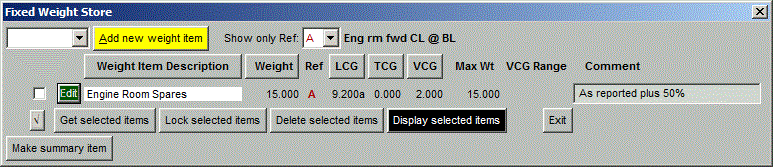
|
| The Make summary item button at the bottom creates an entry in the table that is a total of all items that begin with the same letters. To demonstrate this, another Bosun item has been added and a summary item named "Bosun" is being created. |
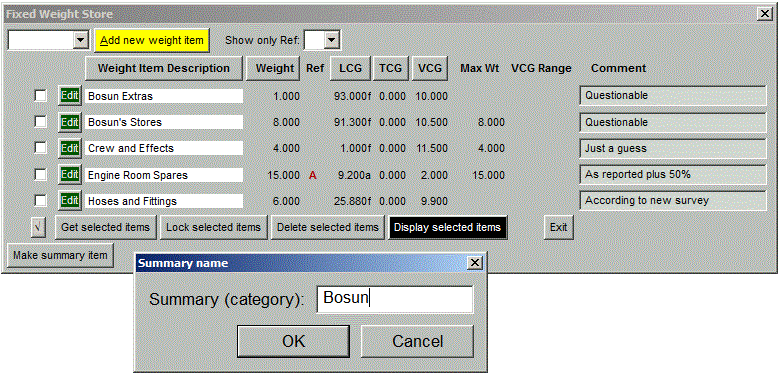
|
| As shown below the Bosun Summary item appears, showing the aggregate weight and center. |
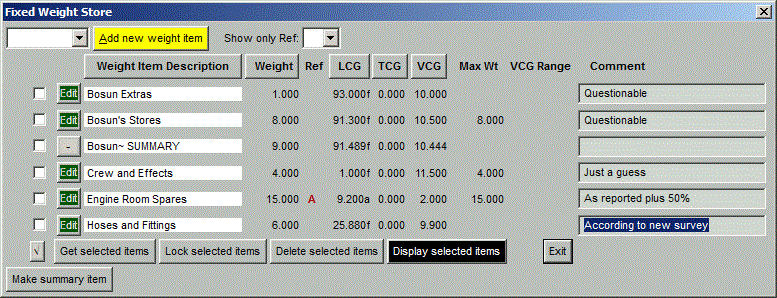
|
| Now the "Bosun~ SUMMARY" button will cause the two Bosun items to be hidden, as shown below, until the button is pressed again. |
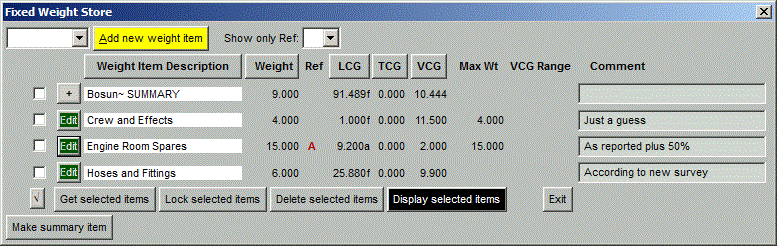
|
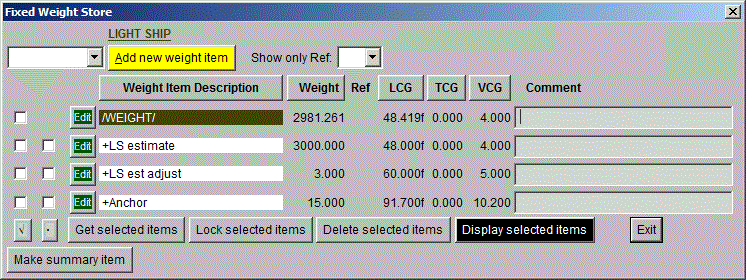
| DB EditLSWt is similar but slightly more complex. Because the Data Base provides for storing more than one Light-Ship weight, we must be careful to get only one of them at a time. Therefore, when an item of the form /WEIGHT/ or its equivalent is selected, the others are automatically deselected. |
|
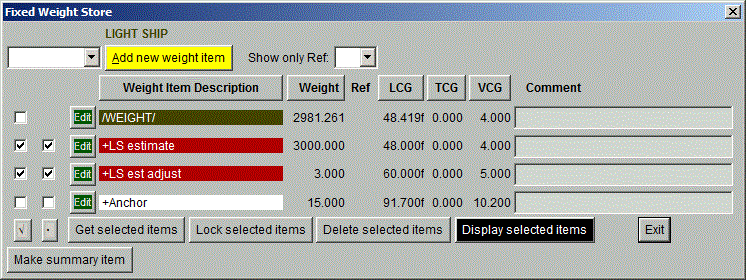
| The second column of check boxes allows combining + items into a single WEIGHT. Put checks in the second column for those items that are to be combined. This is an alternative to selecting a /WEIGHT/ item. After the WEIGHT is generated, the items that went into it are shown in red to indicate that the identities have been forfeited as these items have been merged into a single WEIGHT command. |
|
|
In this example, the Anchor remains to be gotten as a separate weight, adding
to the Light Ship but retaining its identity.
Finally, there is yet another way of selecting the items you want to show in the table. That's the function of the white space at upper left, which is a drop-down list of prefixes. If a prefix is showing, only those items beginning with that prefix appear in the table. There's no use for it in this example, but maybe someday someone will find it useful. |
|
Questions, comments, or requests?
Contact Creative Systems, Inc. USA phone: 360-385-6212 Fax: 360-385-6213 Office hours: 7:00 am - 4:00 pm Pacific Time, Monday - Friday Mailing address: PO Box 1910 Port Townsend, WA 98368 USA Click here for an index to this and previous COWs |