
|
|
General HydroStatics
Ship Stability Software |
|
Command of the Week
(New or interesting aspects of GHS that you may not know about) |
|
PM Statements for Angled Tank Bulkheads
(Requires GHS ) |
| The building block for most tanks in Part Maker is the box. The syntax for a basic box is as follows: |
|
CREATE TANK.S ENDS e1, e2 IN i OUT o BOT b TOP t / |
|
In the above example, the italicized parameters e1, e2, i, o, b, and t are placeholders for values that define the boundaries of the box. The syntax of the statements that govern the sides of the box (namely INBOARD, OUTBOARD, BOTTOM and TOP) allows the sides to be angled; see HELP PM for details.
For example, the syntax diagram for BOTTOM has optional parameters after v1. To enter an angled side instead of an orthogonal one, you'll need to give two vertical distances and a longitudinal location for each. It might be worth noting that the longitudinal locations need not coincide with the ENDS. |
| BOTtom = v1 [@ l1, v2 @ l2] |
|
Note: The square brackets in syntax diagrams indicate optional parameters. The square brackets do not form part of the command that is entered into the program. Their only purpose is to identify which parameters are optional.
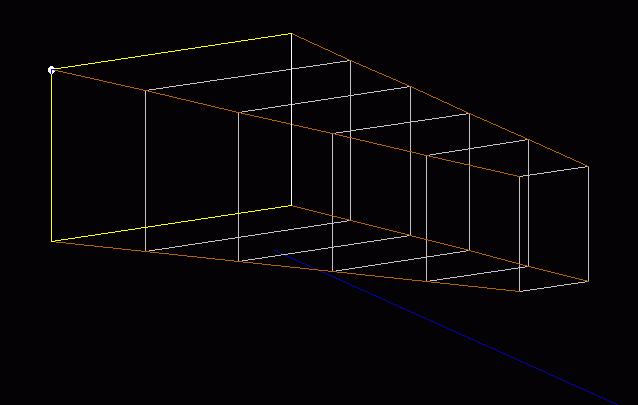
Let's use this knowledge to make a tank with sloped bottom and outboard sides: |
|
CREATE TANK.S ENDS e1, e2 IN i OUT o1@l1, o1@l1 BOT b1@l1, b1@l1 TOP t / |
|
| If you get to a point where you are referencing the syntax diagrams to assess the different ways a command (or statement) can be utilized, you will be well on your way to becoming a power user! |
|
Questions, comments, or requests?
Contact Creative Systems, Inc. USA phone: 360-385-6212 Fax: 360-385-6213 Office hours: 7:00 am - 4:00 pm Pacific Time, Monday - Friday Mailing address: PO Box 1910 Port Townsend, WA 98368 USA Click here for an index to this and previous COWs |