
|
|
General HydroStatics
Ship Stability Software |
|
Command of the Week
(New or interesting aspects of GHS that you may not know about) |
|
BOOM ACCESS
(Requires GHS with Condition Graphics) |
|
The BOOM command positions a weight by spherical coordinates. Commonly it is used to input weights
associated with a crane, where you specify the boom length and its azimuth and elevation angles.
If you need to know exactly where on the deck the hook would drop when the boom is at a given position, use ADD /ACCESS. For example: |
BOOM "Wt name" {WtValue}, {Lbase}, {Tbase}, {Vbase}, {BoomLength}, {SwingAng}, {TopAng}
ADD "Wt name", *, Lhook, Thook, Vhook /ACCESS
|
|
ADD /ACCESS sets your variables Lhook, Thook, Vhook to the LTV coordinates you were wanting.
Note that in the /ACCESS form of the ADD command, you access values that were previously given.
The reason this works is that BOOM is really a fancy ADD. In other words, BOOM creates the same kind of ADDed weight that you get with the ADD command. So ADD /ACCESS works with weights that were created by means of the BOOM command. Note that all of those names would be variable names that someone has set to values pertaining to the location and size of the boom. The curly brackets surrounding the names cause their values to go into the command. "Wt name" is a literal name, not a variable. We put this technique to good use after our fishing vessel, FV.GF, sank. We needed heavy-lift equipment, so we hurriedly built this husky crane barge: |
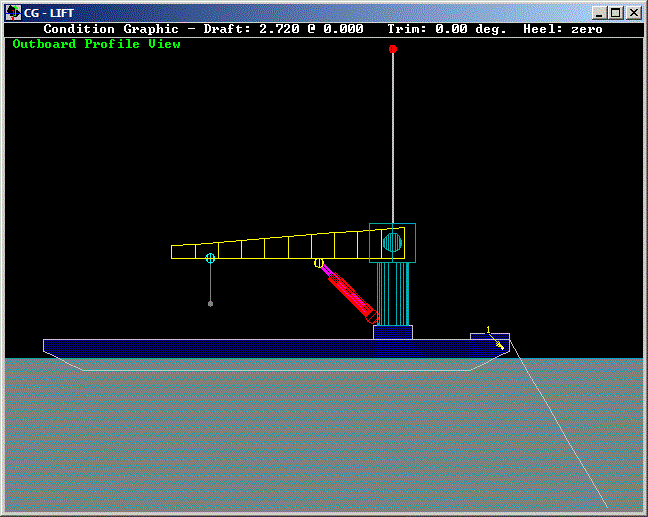
|
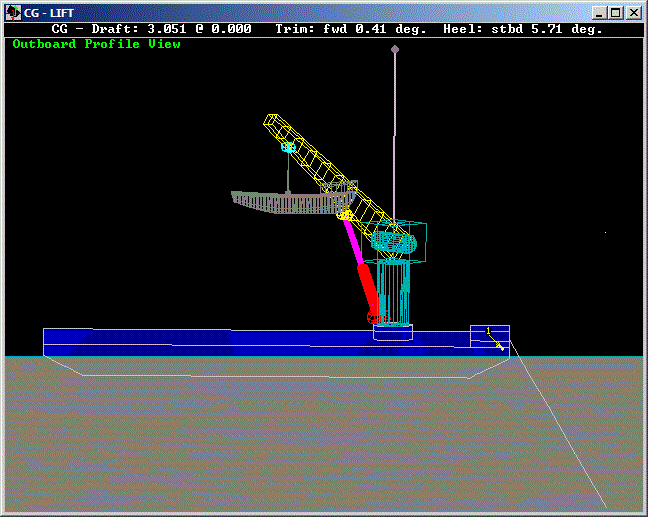
| BOOM commands are good for positioning not only the weight of the hook load but also of the boom and other rotating elements. But that massive ram cylinder needs special treatment because its elevation angle is not easily derived from the boom's elevation angle. With the BOOM + ADD /ACCESS we get the end points of the ram, which enable us to calculate the angle, length, and CG of it. For the visual model, we made the crane elements as "SAIL" parts, which allows us to position them to match the crane orientation. |
|
|
Questions, comments, or requests?
Contact Creative Systems, Inc. USA phone: 360-385-6212 Fax: 360-385-6213 Office hours: 7:00 am - 4:00 pm Pacific Time, Monday - Friday Mailing address: PO Box 1910 Port Townsend, WA 98368 USA Click here for an index to this and previous COWs |