
|
|
General HydroStatics
Ship Stability Software |
|
Command of the Week
(New or interesting aspects of GHS that you may not know about) |
|
DB PutGF (review)
(Requires GHS version 17.00 or later) |
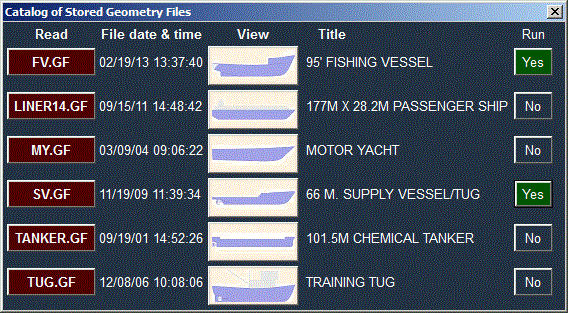
| If you store Geometry Files in the Data Base, you get a catalog of them that looks something like this: |
|
|
The command DB PutGF is all it takes to put a copy of your Geometry File in the Data Base and
add it to the catalog.
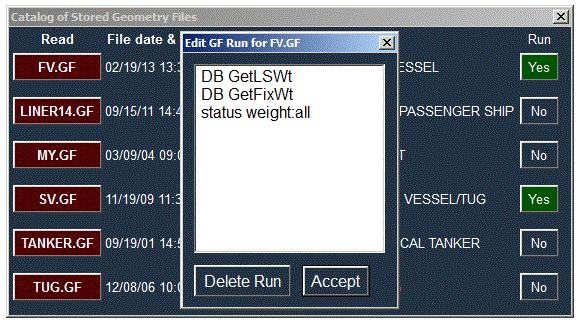
Thereafter, DB GetGF filename will get it directly from the Data Base. Or omit the file name and pick it from the catalog by clicking the GF name in the Read column. An additional feature is that the Data Base will maintain a Run File associated with the Geometry File. This special Run File gets run immediately after the GetGF operation. For example, if the run file consists of DB GetLSWt and DB GetFixWt, then when the Geometry File is read via DB GetGF it behaves like the weight items were stored in the Geometry File. |
|
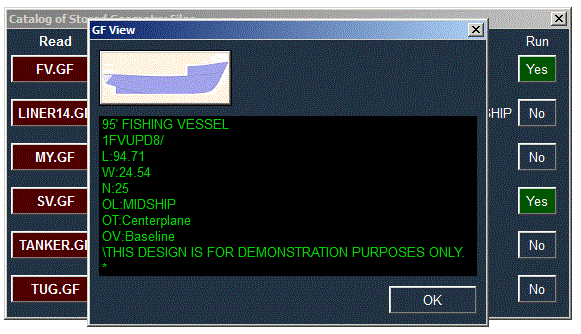
| The catalog presents other information about the Geometry Files in addition to what shows on its face. Clicking the vessel thumbnail shows the Comments. |
|
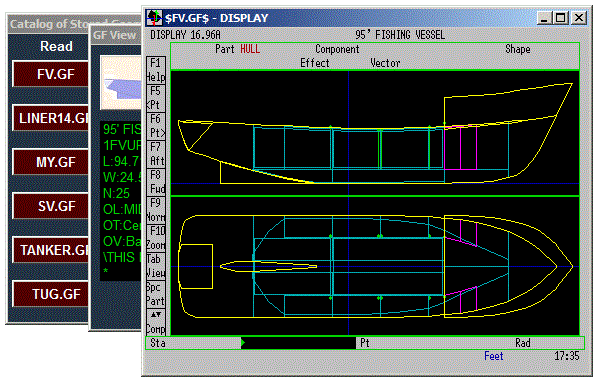
| And clicking the graphic there brings up a complete Display of the geometry. |
|
|
That Geometry Run File is accessible directly too. The command is
DB GFRun Do not be tempted to put an entire set of commands for making a stability book in that GF Run File. It could be done, but the DB system has a much better place for typical Run Files. If for some reason you want to remove a Geometry File from the Data Base without affecting anything else pertaining to that ship, the command is DB DeleteGF filename. |
|
Questions, comments, or requests?
Contact Creative Systems, Inc. USA phone: 360-385-6212 Fax: 360-385-6213 Office hours: 7:00 am - 4:00 pm Pacific Time, Monday - Friday Mailing address: PO Box 1910 Port Townsend, WA 98368 USA Click here for an index to this and previous COWs |